Transferring applicant records can be helpful for merging applicants or if records need to be moved to a new entity.
1
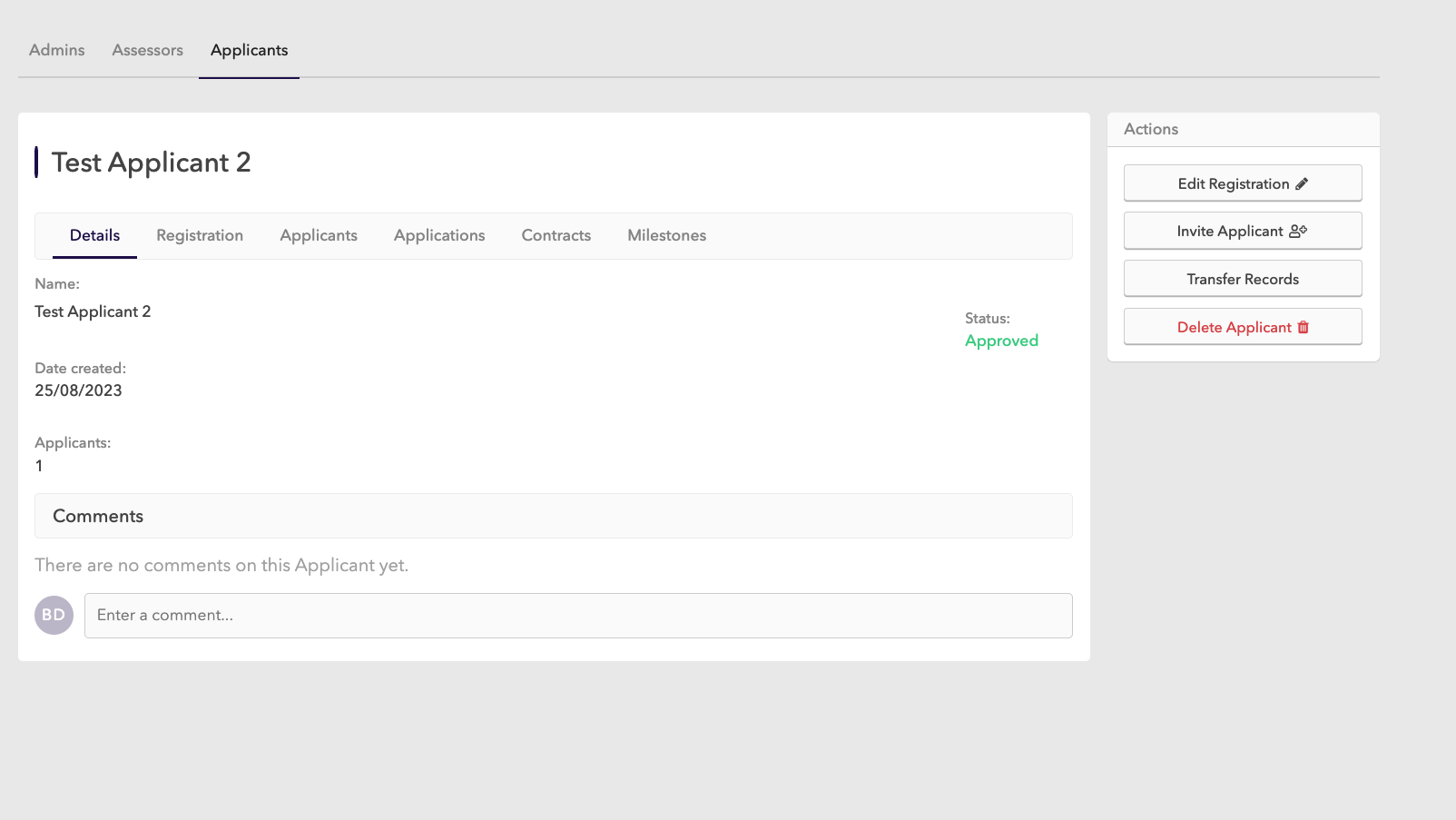
Navigate to the applicant record you want to transfer the records from
2
Click on Transfer Records in the right menu
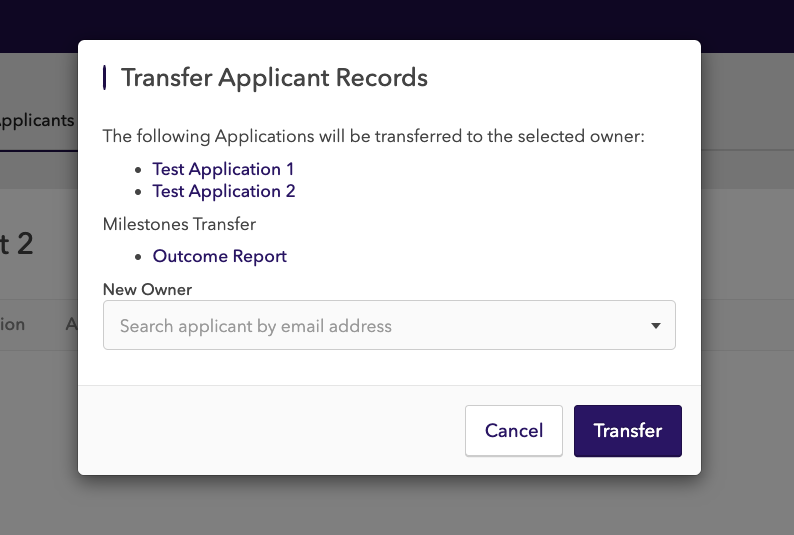
This will create a preview of the records to be transferred and allow you to select the new owner of the records.
3
Confirm the transfer
Click Transfer to confirm the transfer to the new owner or Cancel to abandon the process. If you are merging the records then you can delete the original applicant at this point.
The records include Applications, Milestones and Contracts.
Related articles
Applicant Milestones
Sign in to Tahua
Troubleshooting Applicant Invites
Invite a New Applicant
How to create an application on behalf of an applicant