> For the complete documentation index, see [llms.txt](https://help.tahua.io/llms.txt). Markdown versions of documentation pages are available by appending `.md` to page URLs; this page is available as [Markdown](https://help.tahua.io/knowledge-base/administrator-help-guides/reports/using-data-tables.md).
# Using Data Tables
By ensuring you've set up your templates correctly, using Field Tags, you can create various tailored reports.
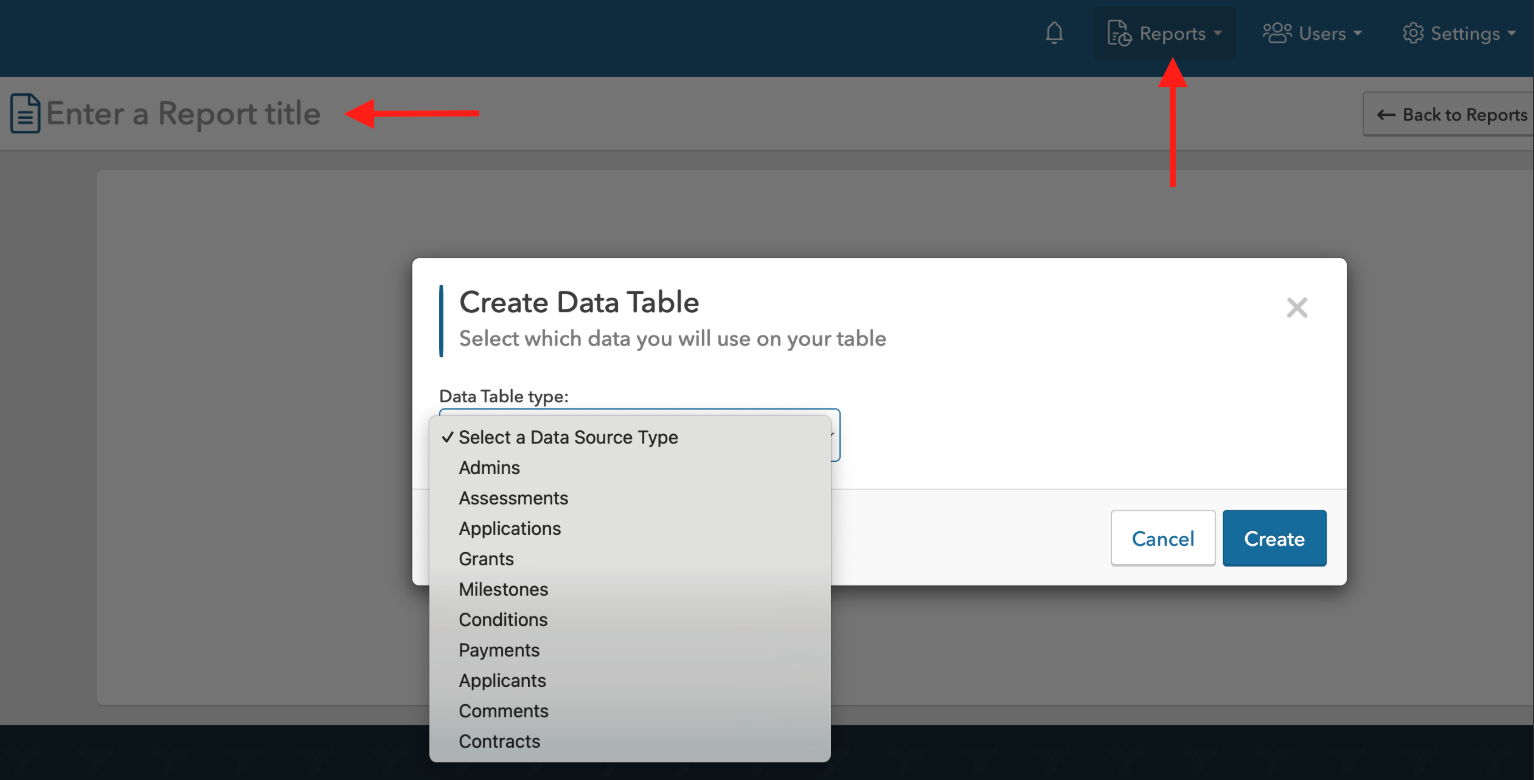
The first step is to give your Report a title - currently all the reports sit in a shared folder within your Organisation, so giving it a clear title, so you know it's the report you generated - makes it easier to find!
You then can choose which "template" you want to pull the data from for your report.
Each template has generic data that you can opt to pull through (i.e. for Applications, IDs, General, Dates & Times), as well as specific data pulled as a result of field tags setup (which are unique to each organisation/template) in the application and registration templates.
Once you've selected the data you want, you can create the report. From here, you can opt to export it via CSV or XLS and manage columns (i.e. add/remove data).
### Application Data Source Fields
The following fields are available when building a report from the **Applications** data source. Field names shown below use the default terminology — they'll reflect your organisation's own terms where customised (e.g. "Grant" may show as "Funding Round", "Application" may show as "Proposal").
**IDs**
* **Application ID**
* **Applicant ID**
* **Grant ID**
**General**
* **Grant**
* **Grant Category**
* **Applicant Name**
* **Applicant Email**
* **Application Owner First Name** / **Application Owner Last Name** — the first and last name of the user who owns the Application, so you can report on the individual owner without relying on the Applicant organisation name alone.
* **Application Title**
* **Application Number**
* **Requested Amount**
* **Approved Amount**
* **Unused Amount**
* **Milestone Approved not Paid Amount**
* **Paid Amount**
* **Remaining Amount to be Approved or Paid**
* **Remaining Amount to be Paid**
* **Assessment Score**
* **Assessment Status** — summarises the overall assessment progress for the Application: **Assessed** (at least one assessment completed), **In Progress** (at least one assessment started but none complete), or **Not Started** (no assessments started or no assessors assigned).
* **Current Status**
* **Contract Status** — **Contracted** or **Not Contracted**.
* **Payment Status** — **Paid**, **Partially Paid**, or **Unpaid**.
* **Tags**
* **Submitted By**
* **Verifier Name** — only available if Verifiers are enabled for your organisation.
* Any **custom fields** your organisation has configured for Applications or for Application Decisions also appear here.
**Dates & Times**
* **Creation Date**
* **Submission Date**
* **Letter Created Date**
* **Letter Sent Date**
* **Offer Accepted Date**
* **Offer Declined Date**
**Dynamic, field-tag-driven categories**
Beyond the fields above, your Application and Registration templates can expose additional columns based on how fields are tagged or grouped in the form builder:
* **Form Fields** — every field on the Application template, grouped by the field group it belongs to on the form.
* **Tagged Form Fields** — fields on the Application (or supplementary information request) template that have been given an internal tag/identifier.
* **Registration Tagged Fields** — tagged fields from the Applicant's Registration template.
* **Tagged Form Cells** — Cell Tags on individual table columns (see [Creating Tables](/knowledge-base/administrator-help-guides/applications/application-templates/creating-tables.md)). Available for both Application and Milestone/Deliverables templates.
{% hint style="info" %}
Computed fields (e.g. Assessment Status, Payment Status, Contract Status, Submitted By, and the amount roll-up fields) are only included in the report query when selected, so adding them has no impact on the performance of reports that don't use them.
{% endhint %}
### Assessors Data Source
A dedicated **Assessors** data source is available for reporting on assessor activity, separate from the Applications and Applicants data sources. Select it from the data source type dropdown when creating a new report. Available fields:
* **Assessor ID**
* **Assessor Name**
* **Email**
* **Account Status** — "Active" or "Unclaimed"
* **Last Sign In At**
* **Sign In Count**
* **Creation Date**
Use this to identify inactive assessors, track login activity, or find assessor accounts that haven't been claimed yet.
### Applicants Data Source
A dedicated **Applicants** data source is available for reporting on Applicant organisations and their registration details. Select it from the data source type dropdown when creating a new report. Available fields:
**IDs**
* Applicant ID
* Accepted By ID
* Microsoft Nav Vendor ID
**General**
* Applicant Name
* User First Name
* User Last Name
* Email
* Accepted By Name
* Current Status — shows **Unclaimed** for any Applicant who hasn't yet claimed their account (not invited, hasn't confirmed their email, and hasn't signed in via SSO). All other Applicants continue to show their registration entry state as before, so you can filter and report on unclaimed vs. active Applicant accounts.
* Review Status
* Registration Type
* Accredo Bank Account Number
**Dates & Times**
* Creation Date
* Submission Date
* Accepted Date
* Invitation Sent At
* Invitation Accepted At
* Last Sign in At
**Dynamic, field-tag-driven categories**
* Form Fields — every field on the Applicant's Registration template, grouped by field group.
* Tagged Form Fields — fields on the Registration template that have been given an internal tag/identifier.