> For the complete documentation index, see [llms.txt](https://help.tahua.io/llms.txt). Markdown versions of documentation pages are available by appending `.md` to page URLs; this page is available as [Markdown](https://help.tahua.io/knowledge-base/administrator-help-guides/contracts/contract-templates/contract-signatories/funder-verifier-contract.md).
# Funder - Verifier Contract
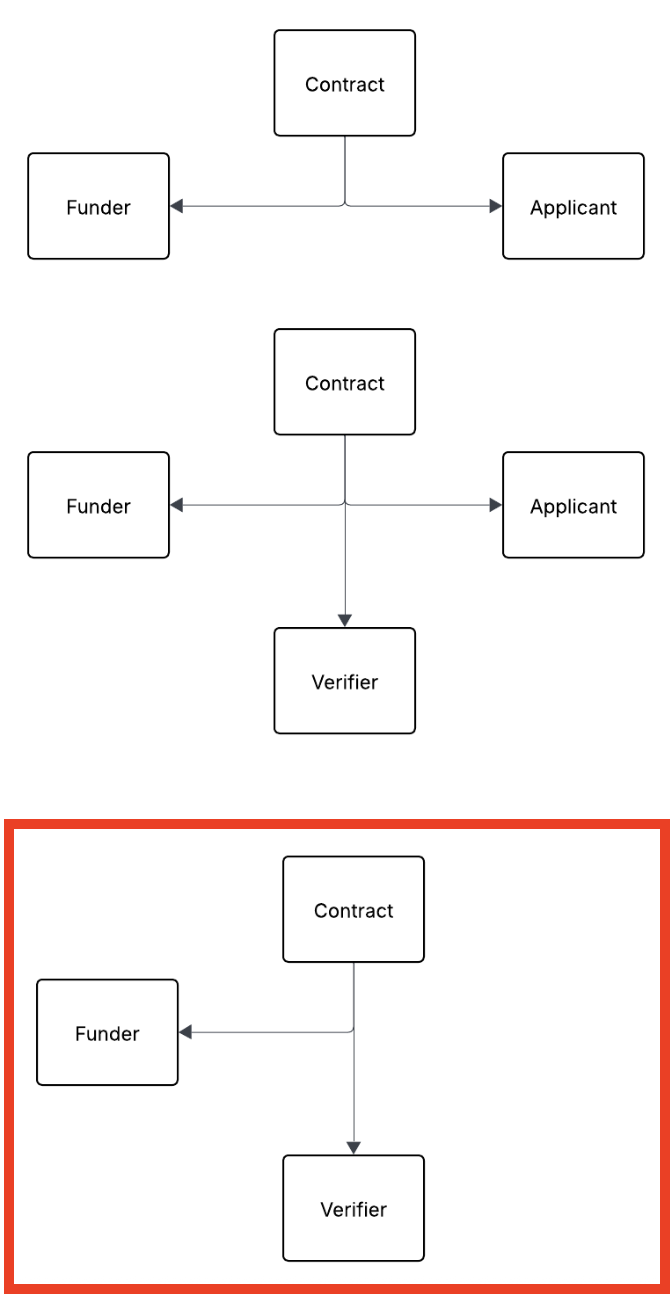
This article details how a Contract works that needs to be signed by a Funder (the Organisation) and a Verifier (Institution).
On the Contract **Details** step, choose the Verifier/Institution as the **Counterparty**. Click **Select a counterparty** and search for the Verifier/Institution, or, if you've linked an Application, change the Counterparty to that Application's Verifier/Institution. The Contract doesn't need to be linked to an Application. See [Creating a Contract](/knowledge-base/administrator-help-guides/contracts/creating-a-contract.md).
{% hint style="info" %}
You no longer need to tick "This Contract is with the Institution only". Choosing the Verifier/Institution as the Counterparty does the same job.
{% endhint %}
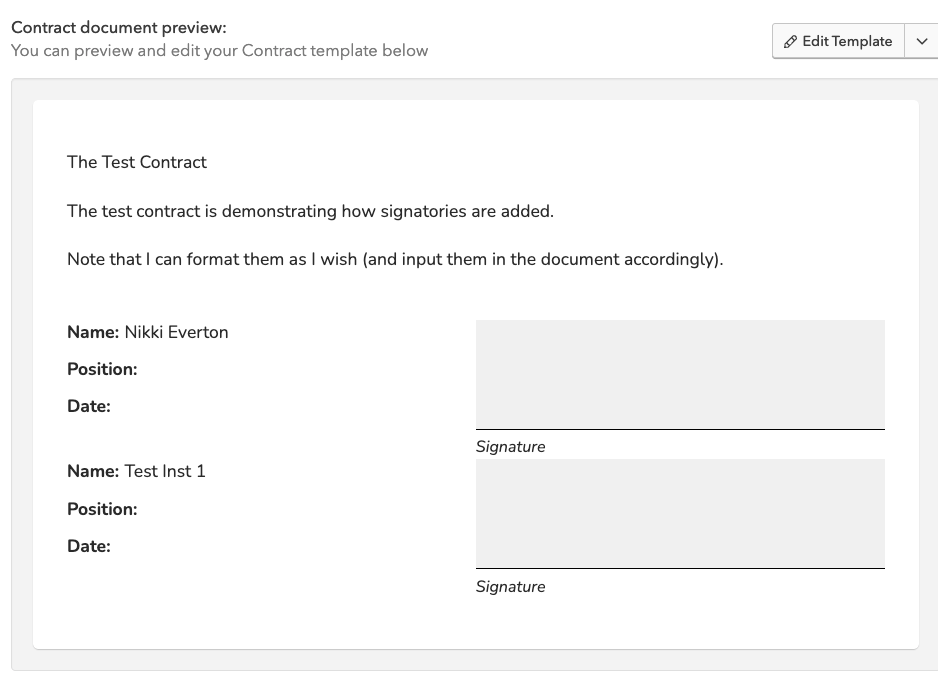
When you are setting up your Contract template, you can then add in the relevant Signature Blocks by using "personalisations".
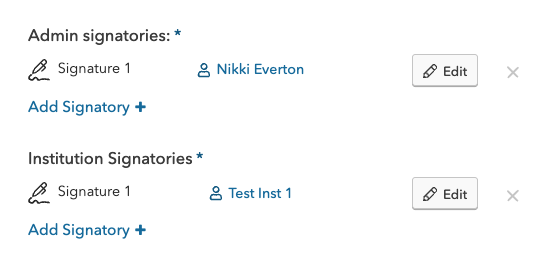
The Contract workflow will also request that you select what Signatories you wish to sign the Contract. It is these signatures that will then be inputted into the signed Contract. You can select more than one signatory, if appropriate, to sign the Contract (e.g. multiple Admin signatories from the Funder and/or Verifier/Institution).
This results in the Contract looking like this. The electronic [Signing a Contract](/knowledge-base/administrator-help-guides/contracts/signing-a-contract.md) process then ensues.